- Note
- Steps:
1.Get device attribute: TransferMode VkDaqGetDeviceAttribute
2.Set device attribute: TransferMode to Online VkDaqSetDeviceAttribute
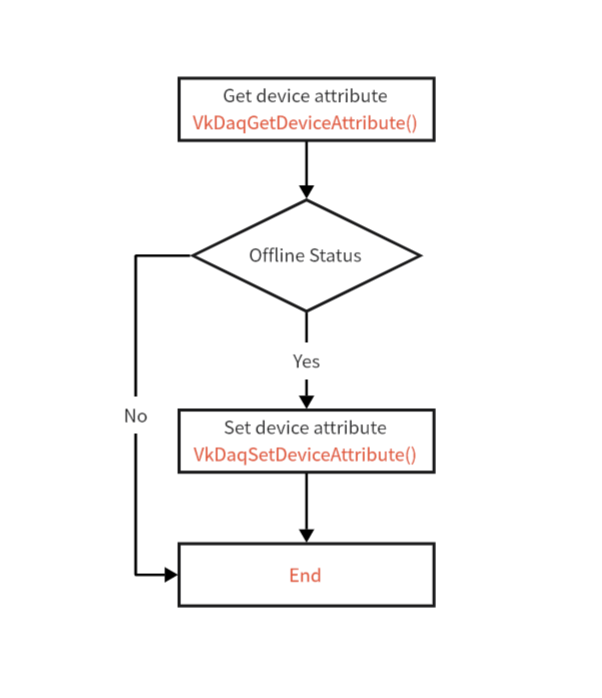
Example of Offline mode enters real time mode Process Diagram
C language reference
#include <stdio.h>
#include "libvkdaq.h"
#define VkDaqErrChk(functionCall) if( VkDaqFailed(error=(functionCall)) ) goto Error; else
int main(void)
{
int32_t error = 0;
char attrValue[256];
printf("Current TransferMode = %s\n", attrValue);
if (attrValue == "Offline") {
}
printf("Check after setting up,TransferMode = %s\n", attrValue);
Error:
if (VkDaqFailed(error))
printf("End of program, press Enter key to quit\n");
getchar();
return 0;
}
int32_t VkDaqGetDeviceAttribute(const char *dev, const char *attrName, char attrValue[], int32_t size)
Get device attribute value.
int32_t VkDaqSetDeviceAttribute(const char *dev, const char *attrName, const char *attrValue)
Set device attribute value.
const char * VkDaqGetLastErrorInfo(void)
Get the error message of the last execution.