- Note
- The configuration task that needs to be clearly enabled is exemplified by the routine 'TestTask'
Steps:
1.Start task VkDaqStartTask
2.Get task data VkDaqGetTaskData
3.Stop task VkDaqStopTask
4.Clear task VkDaqClearTask
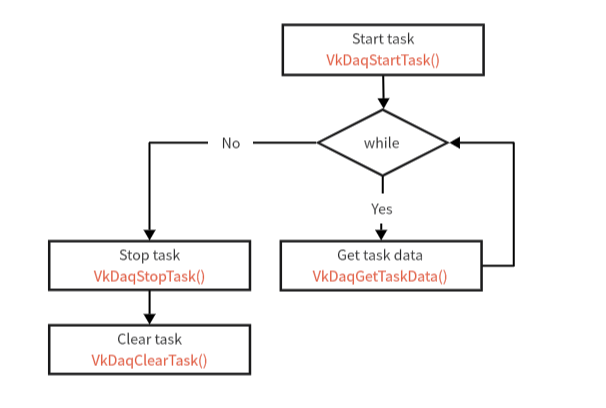
Example of opening a task to collect data Process Diagram
C language reference
#include <stdio.h>
#include "libvkdaq.h"
#define VkDaqErrChk(functionCall) if( VkDaqFailed(error=(functionCall)) ) goto Error; else
int main(void)
{
TaskHandle taskHandle = "TestTask";
float64 data[1000];
int64 total = 0;
int32 error = 0;
int32 read = 0;
printf("Acquiring samples continuously.\n");
while (true) {
read =
VkDaqGetTaskData(taskHandle, data, 1000, VkDaq_Val_GroupByScanNumber, 1);
if (read > 0) {
printf("Acquired %d samples. Total %lld\r", read, total += read);
fflush(stdout);
}
}
Error:
if (VkDaqFailed(error))
if (taskHandle != 0) {
}
printf("End of program, press Enter key to quit\n");
getchar();
return 0;
}
int32_t VkDaqClearTask(const char *task)
Clear task.
int32_t VkDaqStartTask(const char *task)
Start task.
int32_t VkDaqStopTask(const char *task)
Stop task.
const char * VkDaqGetLastErrorInfo(void)
Get the error message of the last execution.
int32_t VkDaqGetTaskData(const char *task, double dat[], int32_t sampsPerChan, int32_t fillmode, double timeout)
Get task data.